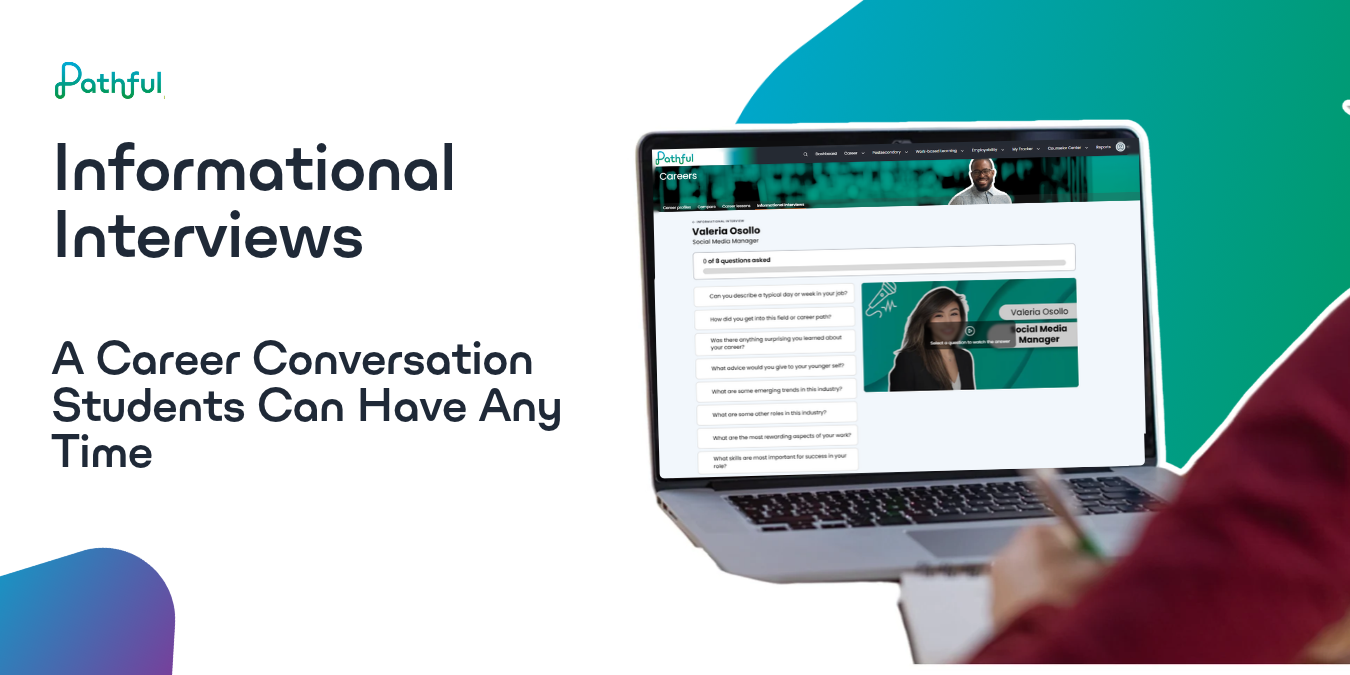
Informational Interviews give students recorded, captioned conversations with working professionals, where the student picks the questions and saves a reflection when they're done.
Ask a counselor what helps a student decide on a career, and you'll often hear the same advice: go talk to someone who does the job. Setting that up is harder than it sounds. A student has to find a professional willing to talk, schedule a time that works around school and the professional's workday, and show up with questions ready. In a small town, the closest person in that field might be an hour away, and for a lot of students, the conversation never happens.
Informational Interviews, now available to all Pathful customers, give students a version of that conversation they can have whenever they're ready. Each interview is a set of recorded, captioned answers from a working professional, and the student decides which questions get asked and in what order. The library launches with 114 interviews, from air traffic controller and judge to doula, mortician, and bat expert.
What students see
Informational Interviews has its own section in both the Careers tab and the Work-Based Learning tab. It's the same library in either place, and progress carries over, so a student who starts an interview from one tab and finishes it from the other doesn't lose anything. The library uses the same filters as Career Profiles (Clusters, Education, Industry, Personality Traits, Work Values, and Subjects), and each interview card shows Start, Continue, or Completed, so students can see where they left off.
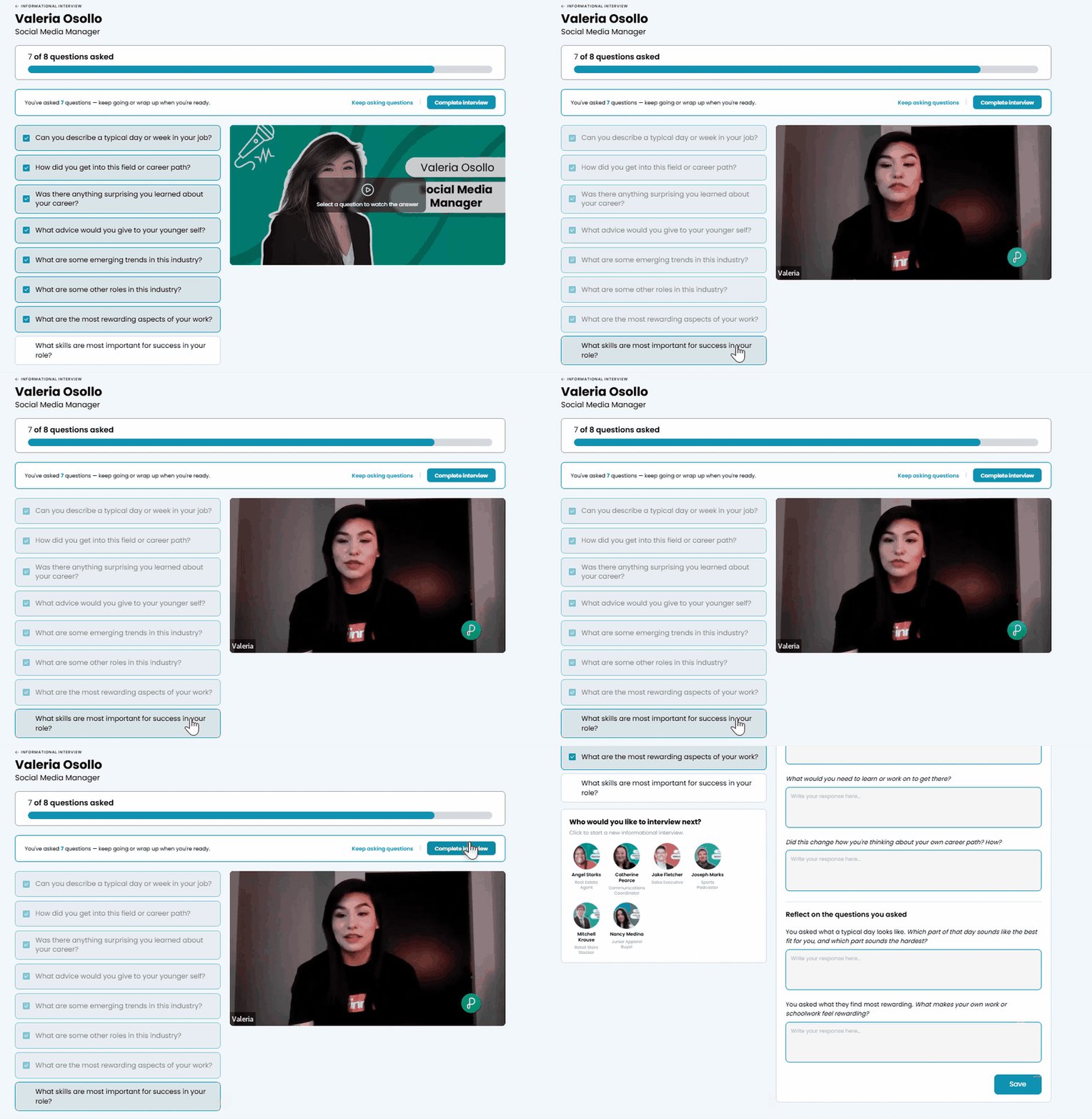
Inside an interview, every question is available from the start. A student picks one, the professional's answer plays, and the progress bar updates when it finishes. Students can go in any order and rewatch any answer without losing progress, though a question only counts as asked once its answer plays all the way through. Videos are captioned, with Spanish and audio description available in the player.
After five questions, students can wrap up or keep asking. A student short on time can stop there, and one who wants to hear more can finish the rest.
How the reflection works
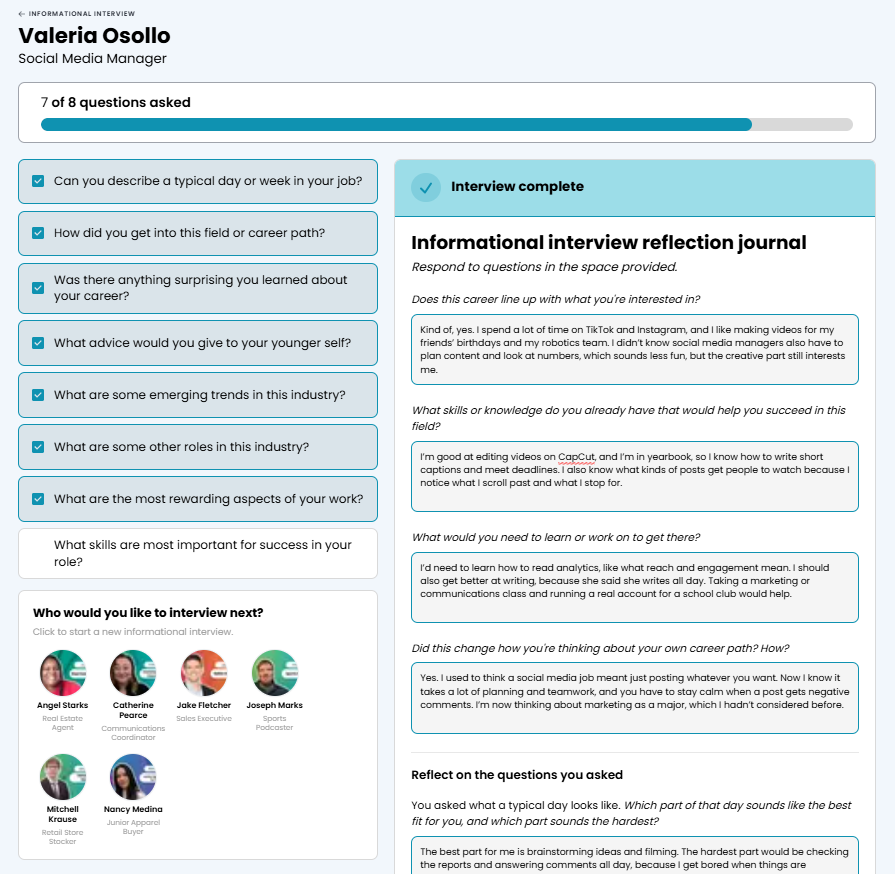
After the student clicks "Complete interview," the reflection opens next, starting with four questions:
- Does this career line up with what you're interested in?
- What skills or knowledge do you already have that would help you succeed in this field?
- What would you need to learn or work on to get there?
- Did this change how you're thinking about your own career path? How?
Students only need to answer one question to save, but a reflection with blank answers won't count as complete in the activity report, so it's worth asking students to answer all of them. Saved reflections go to My Tracker under Journal Entries, in their own Informational Interview tab, where students can edit them or download them as a PDF. A student who comes back to an interview later finds the journal already filled in with their earlier answers.
After saving, students see a "Who would you like to interview next?" section with more interviews from the same career cluster, which keeps one interview from being a dead end.
What educators see
The Informational Interview Activity report shows one row per student per interview: the interview, how many questions the student asked, time spent, whether the journal is complete, the last access date, and a link to download that student's journal, so you can read what they wrote without logging in as them. It filters, exports, and saves the same way as the other reports covered in Unlocking Insights Faster: Pathful's Improved Reporting Experience.
Two columns are worth knowing before you rely on them. Time spent only counts while the interview is on screen, so a tab left open in the background won't inflate it. Journal complete shows Yes only when every reflection question has an answer, so a student who saved with one left blank will show No.
Using it with students
Before a live conversation: The Preparing for an Informational Interview FlexLesson covers what to ask and how. Pair it with a recorded interview so students can hear which questions draw the most useful answers, then have them write their own questions for a Live Session or a conversation with a local professional.
Comparing people in the same field: The library includes three architects, two veterinarians, and several cybersecurity professionals. Have students watch two interviews in the same career and compare what each person enjoys about the work, or pair related careers, like a veterinarian and a dog boarder, and talk through how the training and the day-to-day work differ.
Inside a WBL plan: Students in a work-based learning program can complete interviews from the Informational Interviews section of the Work-Based Learning tab, and the saved reflection gives you something concrete to keep with their WBL documentation.
For students who say "I don't know": Start with a subject they already like and filter by it. Watching one interview is a lower bar than picking a career, and the reflection gives them a place to say what stuck.
Next steps
If you're a teacher or counselor, try an interview yourself before you share it with students. Open the Informational Interviews section of the Careers tab, pick a career, and ask a few questions so you know exactly what students will see.
If you're a WBL coordinator, decide how recorded interviews fit alongside live ones in your program. Check your state's guidance before counting a recorded interview toward a specific requirement.
If you're a district or school admin, open the Informational Interview Activity report after students have had a week or two with the feature to see who has started, who has finished, and whose journals are still incomplete.
Was this article helpful?
Thanks for letting us know!

Keep exploring.
Can't find what you need?
Our support team is here to help you make the most of Pathful.