Pathful Parent Portal gives guardians a secure, read-only view into a student's Career Plan, with acknowledgment or e-signature options that double as compliance documentation.
A federal study that has tracked more than 23,000 students since they were ninth-graders in 2009 backs up what most educators already sense: students who named a parent as their most influential voice on postsecondary decisions in 2012 and 2013 went on to apply to and enroll in college at meaningfully higher rates than the average student, roughly 89 to 91 percent applied versus an 87 percent average, and about 76 percent enrolled versus 72 percent overall, measured through 2016.* Family involvement isn't a nice-to-have next to a student's career plan. It's one of the strongest predictors of whether that plan turns into action.
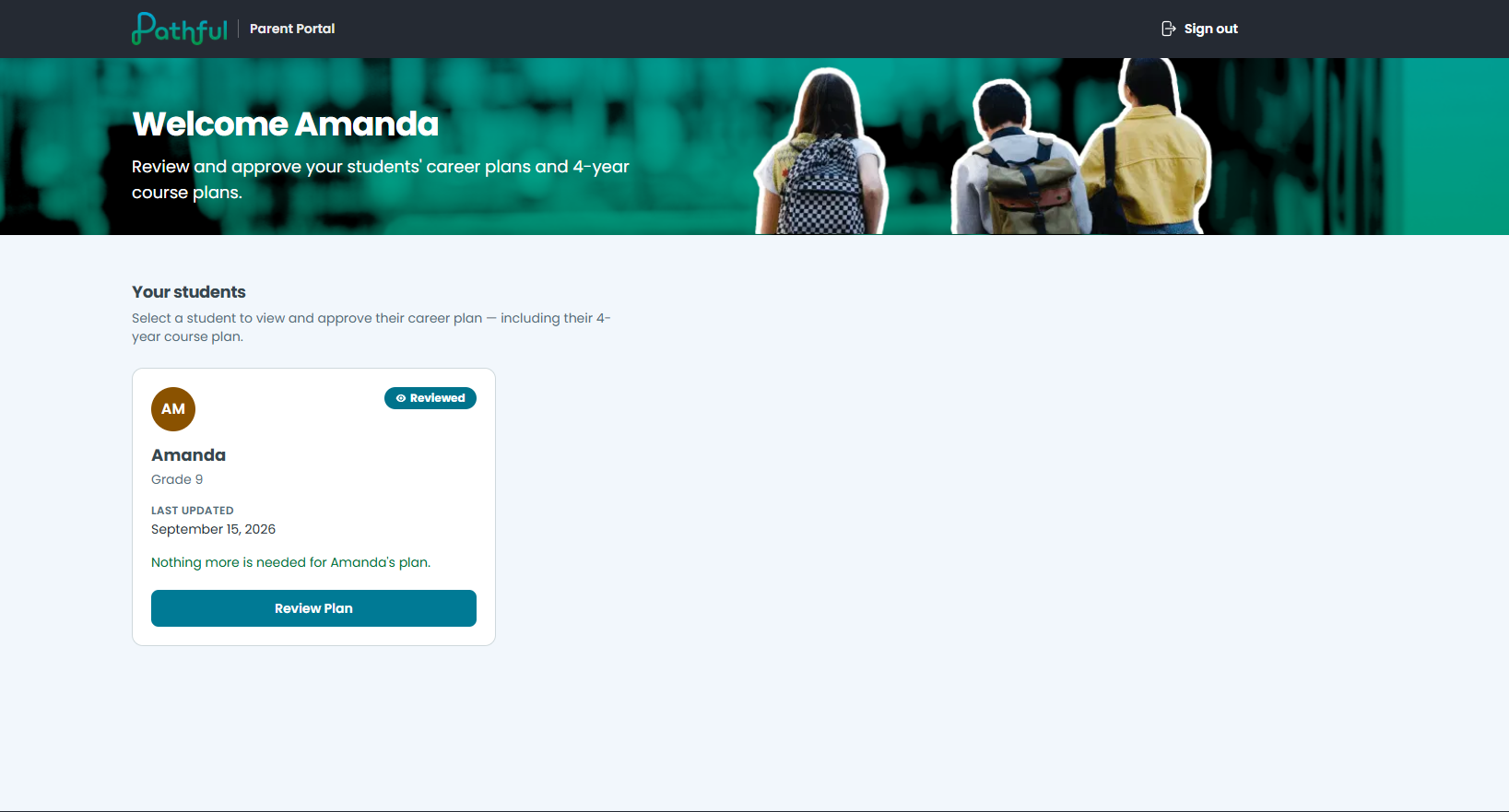
Pathful Parent Portal gives families a direct, secure way into that plan for the first time, extending Pathful's Career Readiness and Development (CRD) work from a student-only activity into a family-supported one, without adding a new workflow for staff to manage by hand.
What Families See
When a student marks a Career Plan as Current, connected guardians get an email invitation. Signing in lands them on a dashboard with a card for every student linked to their email, so a guardian with three kids in the district sees all three in one place.
Opening a student's plan gives a guardian a read-only copy of everything in it: goals, postsecondary plans, career exploration, test scores, experience portfolio, and awards, organized in the same section-by-section menu the student uses. Nothing in the portal can be edited, so there's no way for a guardian to accidentally change a student's work. A guardian can download the plan as a PDF, or customize which sections the download includes.
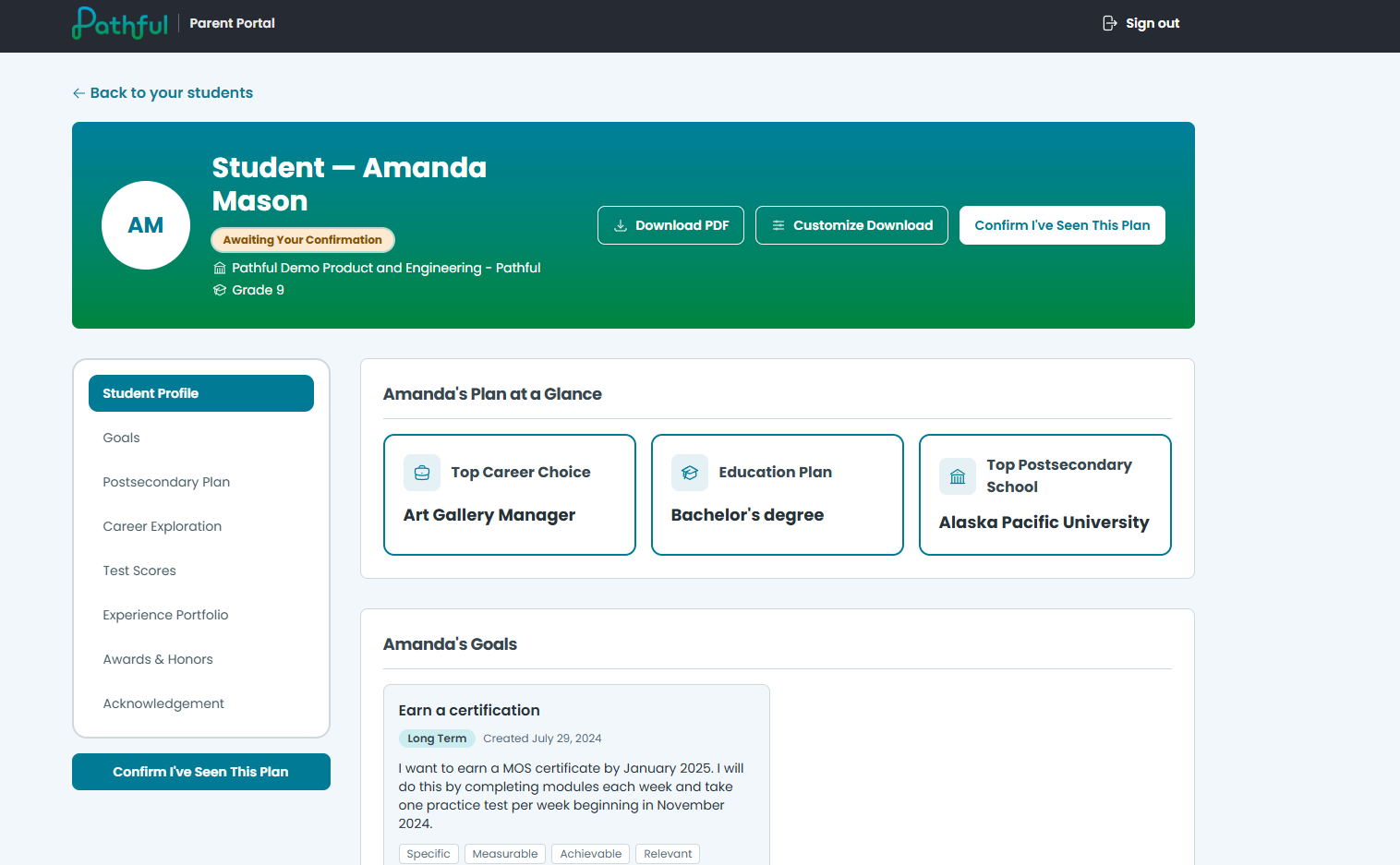
What a guardian is asked to do next depends on how your district configured it. Some districts only ask a guardian to acknowledge they've seen the plan. Others require a formal approval, a confirmation, or a full typed or drawn signature. Whichever it is, that action gets recorded with a date and time.
How Guardians Get Access
Guardian access only works for licenses that roster students through one of three supported systems: Google Classroom, Clever, or OneRoster. Pathful pulls guardian contacts automatically from whichever one your district already uses, so there's no separate guardian list to build or maintain. If your district doesn't use any of the three, there's currently no way to get guardian data into Pathful, so Parent Portal isn't available to that district.
For districts that do roster through one of them, it doesn't matter which: the result for families is the same. If guardian emails aren't populated or aren't accurate in that source, invitations can go to the wrong adult, or to no one at all, so keeping that data current is the single most important thing a district can do to make the portal work.
A guardian doesn't have to wait for the invitation email to get in. As long as guardian access is turned on for their district and their email is accurate in your rostering source, they can go straight to portal.pathful.com, enter that email address, and sign in using a magic link sent to it, the same login the emailed link points to, just without needing to click through it first, letting the guardian sign in seamlessly without a username and password. If guardian access isn't turned on yet, that same email address simply won't be recognized, so there's nothing to troubleshoot on the guardian's end until the district admin flips it on.
Turning that access on is part of the same Career Plan Configuration Profile covered in Aligning Pathful's Career Plan to Your State or District Needs. Guardian access to a plan is one of the settings a district or school admin controls there. Whether guardians get an email notification when a plan becomes available is a separate setting, off by default like the rest, so a district can turn on access without turning on the notification, and vice versa.
What This Means for Compliance
A guardian's acknowledgment, approval, or signature is timestamped the moment it happens. In states where an ICAP or ILP requirement calls for documented family involvement, that record is the documentation, produced as a normal part of a family reviewing the plan rather than a separate compliance step layered on top.
What Staff See
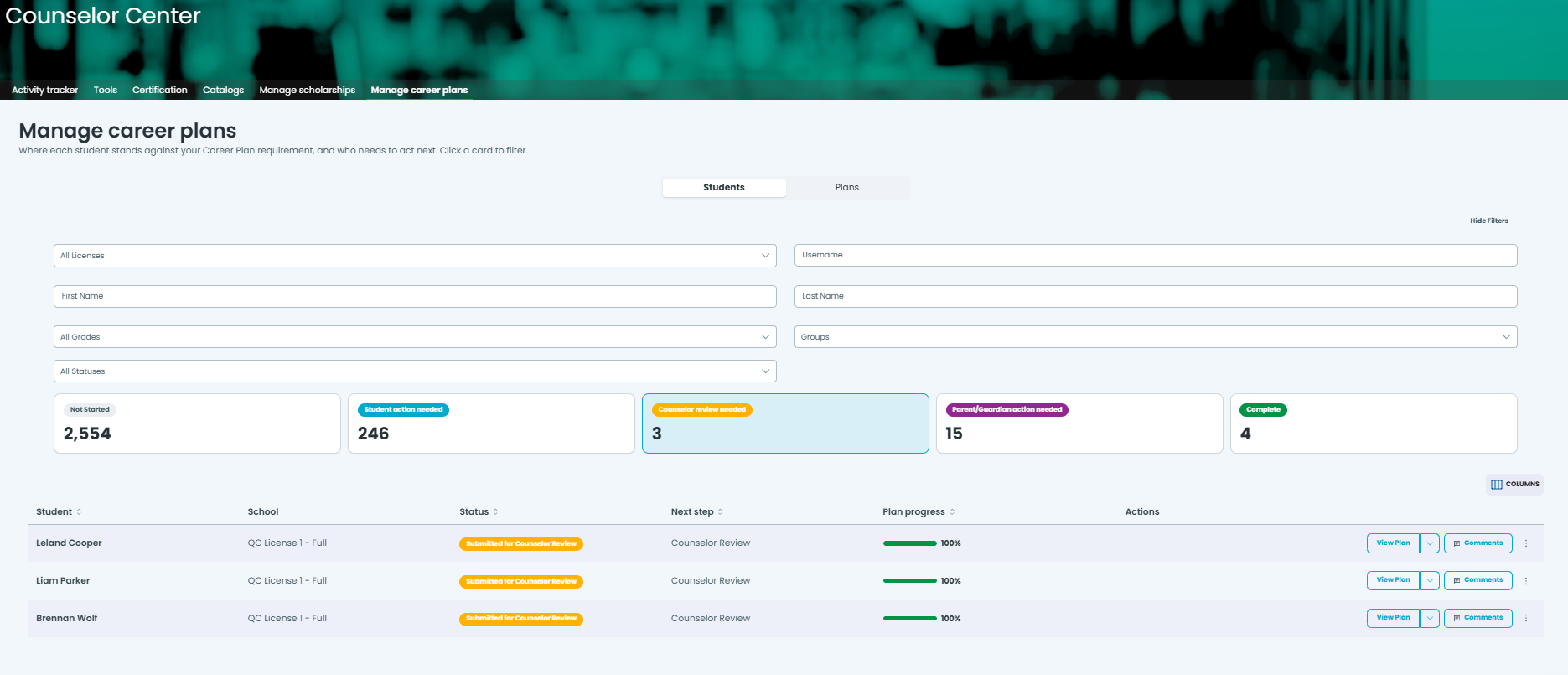
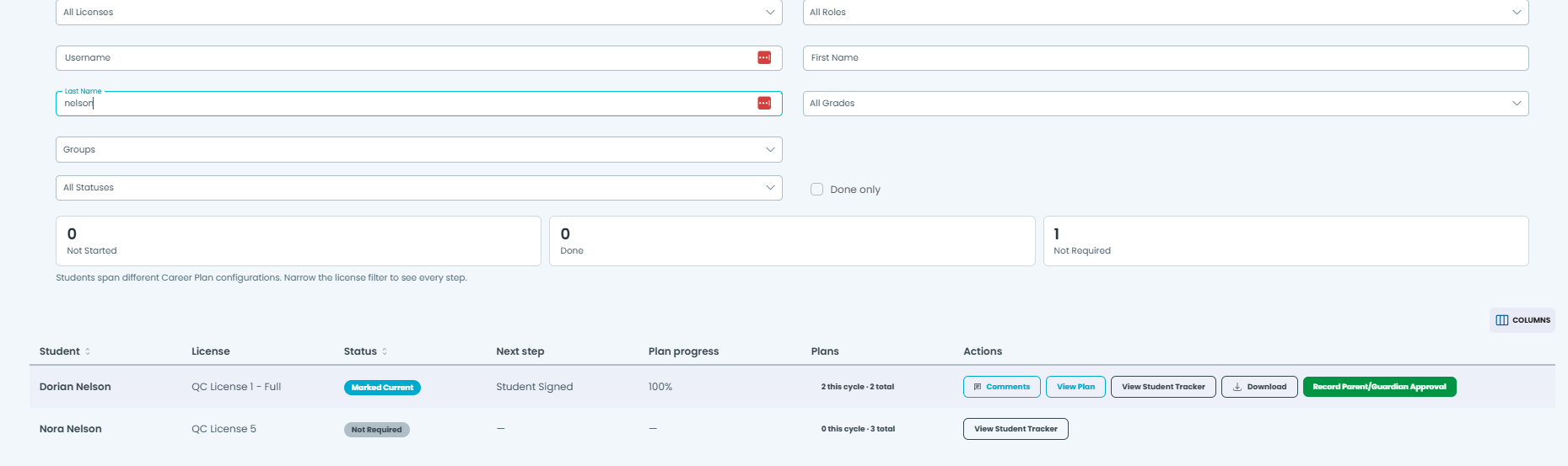
Staff don't have to go looking for this information; it shows up where they already work. Once a guardian has acted on a plan, that status appears on the plan itself and, for the Course Plan section, inside Course Planner. Staff can also check each guardian's sign-in activity for a given student, so when a district asks who has and hasn't engaged, the answer comes from real dates instead of guesses.
When a guardian can't sign online, staff don't have to leave a plan stuck waiting. A Record Parent/Guardian Approval action is available directly from the plan (or as a checkbox alongside recording a counselor review, for exception cases where a guardian can't provide approval directly), so the record still gets made even when the guardian can't do it themselves.
Common Questions
A guardian says they never got an invitation. What's the most likely cause? Two separate things can cause this, and they have different fixes. Most often it's a missing or incorrect guardian email in your rostering source, and since Pathful pulls guardian contacts automatically from Google Classroom, Clever, or OneRoster, that fix happens there, not in Pathful directly. But it's also possible the district turned on guardian access without turning on the separate email notification setting, in which case no invitation was ever going to go out, and the fix is in your Configuration Profile, not the roster. Either way, the guardian can still sign in directly at portal.pathful.com once the underlying issue is resolved.
Can a guardian accidentally change something on their student's plan? No. Everything a guardian sees is read-only. They can review, download, and acknowledge or sign, but there's no way to edit plan content from the portal.
What if a guardian can't sign online (an emancipated minor, a student over 18, or a household without reliable internet access)? A staff member can use the Record Parent/Guardian Approval action on the student's plan, so nothing is left waiting on someone who can't provide it.
If I turn on guardian access today, do guardians immediately see plans that are already current, or only new ones going forward? Immediately. As soon as it's on, guardians can see whatever plan is currently marked Current for each of their students. It doesn't wait for a new plan to be created. Draft and Complete plans that were never marked Current stay private to the student either way.
We don't use Google Classroom, Clever, or OneRoster. Can we still use Parent Portal? Not currently. Guardian data only flows in from those three rostering sources, so there's no way to invite guardians without one of them in place.
Can a guardian sign in at portal.pathful.com before they've received an invitation email? Yes, as long as guardian access is on for their district and their email is accurate in your rostering source. They enter that email at the login screen and get a verification code to complete sign-in, no invitation link required. If either of those two things isn't true yet, the sign-in simply won't go through.
Where do I turn this on for my district? In the same Career Plan Configuration Profile used for review, sign-off, and naming, covered in Aligning Pathful's Career Plan to Your State or District Needs. Only a district or school admin has access to that setting.
Next Steps
If you're a district or school admin, log in and confirm your district rosters through Google Classroom, Clever, or OneRoster. If so, check your Career Plan Configuration Profile to turn on guardian access, and confirm guardian emails are current in your rostering source before you do.
If you're a counselor, teacher, or program lead and a family is having trouble with the portal, start with whether your district has guardian access turned on and whether that family's guardian email is accurate in your roster, then bring it to your district or school admin if it still isn't working.
If you're new to Pathful, our team can walk you through how Parent Portal fits into your district's broader compliance and family engagement goals.
* U.S. Department of Education, National Center for Education Statistics, High School Longitudinal Study of 2009 (HSLS:09), "Percentage of 2009 9th-grade students who applied to or registered at a college by February 2016, by students' most influential person on thinking about postsecondary education in 2012 and 2013."
Was this article helpful?
Thanks for letting us know!

Keep exploring.
Can't find what you need?
Our support team is here to help you make the most of Pathful.