The Interest Assessment uses emoji-based responses so every K–5 student can participate, even before they read independently. Here's how to run it well at every grade band.
Most platform activities ask students to read before they can participate. The Interest Assessment in Pathful Junior uses emoji-based responses, which means students who aren't writing independently yet can still participate fully. Running it well in a K–5 classroom still takes some planning, particularly in K–2, where the choice between whole-class and independent completion isn't as obvious as it might seem. Both are covered below.
What the Interest Assessment does
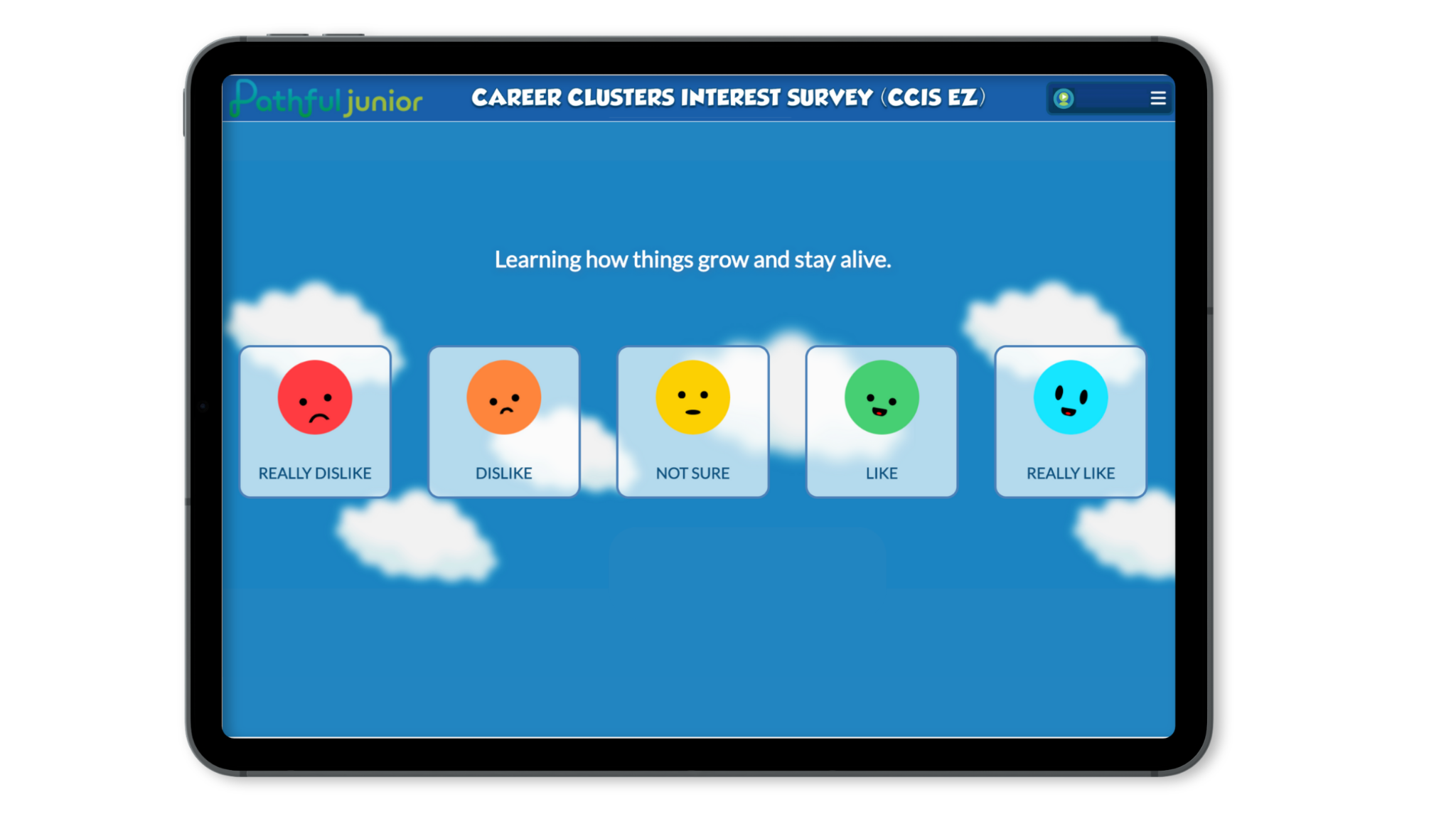
The Interest Assessment presents students with a series of prompts about their interests and preferences. Students respond by selecting an emoji rather than typing or writing. For students who aren't reading independently yet, the assessment can read the prompts aloud.
Running the Interest Assessment in K–2
In K–2, you have two options for how to structure it. Regardless of which approach you choose, let students know they'll be answering questions about what they like. There are no right answers.
If you want a natural lead-in, the Career Crew characters (Zuri, Fact Dragon, Volt, and Beep 9) give you one. For example: "Let's see what Zuri wants to know about us today."
Whole-class
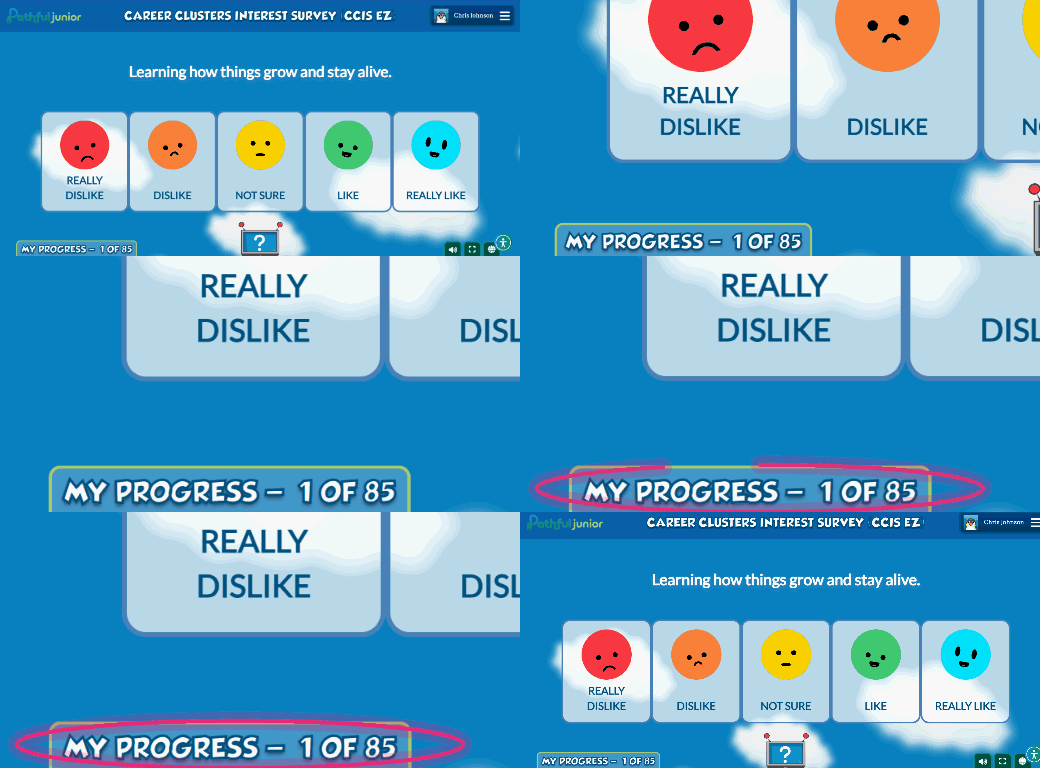
Pull up the Interest Assessment on your projector or classroom display. Students can follow along by tracking the progress bar number to stay in sync with you. Read each prompt aloud and give students a moment to respond before moving on. Keep in mind that some students will move ahead on their own devices regardless, so whole-class pacing requires more active management than it might look like on paper.
Independent
Assign the Interest Assessment through your dashboard (see how to assign an assessment) and have students work through it at their own pace while you circulate. Have students wear headphones so they can hear the prompts read aloud as they go. This approach is often more straightforward in K–2 than whole-class, even if it feels less structured.
Running the Interest Assessment in grades 3–5
In grades 3–5, the Interest Assessment runs as an independent activity. Before the session, let students know this isn't graded. It's about figuring out what they're curious about. Assign it through your dashboard (see [Link to "How to Assign Assessments in Pathful Junior" — article not yet published to Resource Center]), let students work through it at their own pace, and circulate to answer questions. Students at this level can read the prompts on their own. Since responses are emoji-based, there's no writing or typing involved, and interruptions are usually minimal.
Students don't need to finish in one sitting. The assessment saves progress after each submitted response, so they can pick up where they left off in the next session.
A script to introduce the assessment
This works for any grade. Adjust the language as needed for your class.
"We're going to answer some questions about what we like and what we're curious about. You'll see a prompt and a few emojis to choose from. Pick the one that best matches how you feel. There are no right or wrong answers, so just go with what feels true for you."
Discussion questions for any grade
A short debrief after the assessment gives students a chance to connect their responses to something real. Use these to get the conversation going:
- "Did anyone get a result that surprised them?"
- "Did you and a partner choose different things? Why do you think that is?"
- "Is there a career you've never heard of that sounds interesting?"
In K–2, keep the debrief brief and whole-class. In grades 3–5, you can open it up to partner or small-group conversation before bringing everyone back together.
Seeing your class results
After students complete the assessment, run the Assessments - Details report from Reports. It shows individual student responses across your class.
You don't need to do anything formal with the data right away. Use it to notice patterns: Are a lot of your students drawn to creative careers? Technology? Health and science? That can shape which career clusters you introduce first through Career Central and which videos or Lessons you assign next.
[Screenshot of the Assessments - Details report was referenced in the source document but not supplied as an image file — add when available.]
What comes next
The data from the Interest Assessment gives you a concrete starting point for what to prioritize in Pathful Junior. Use it to point students toward careers in their interest areas through Career Central, assign relevant Lessons, or use what you learned about your class to anchor a writing prompt or a conversation in another subject.
For ideas on where to take it from here, see Integrating Pathful Junior with the Curriculum You Already Teach and Making the Most of 15 Minutes.
Was this article helpful?
Thanks for letting us know!

Keep exploring.
Can't find what you need?
Our support team is here to help you make the most of Pathful.